








Blender AI Tools: Complete Comparison Guide

A comprehensive comparison of every type of AI tool for Blender in 2025. From text-to-3D generators to AI texturing — understand which tools fit your workflow.

Updated: 2025-12-1510 min read
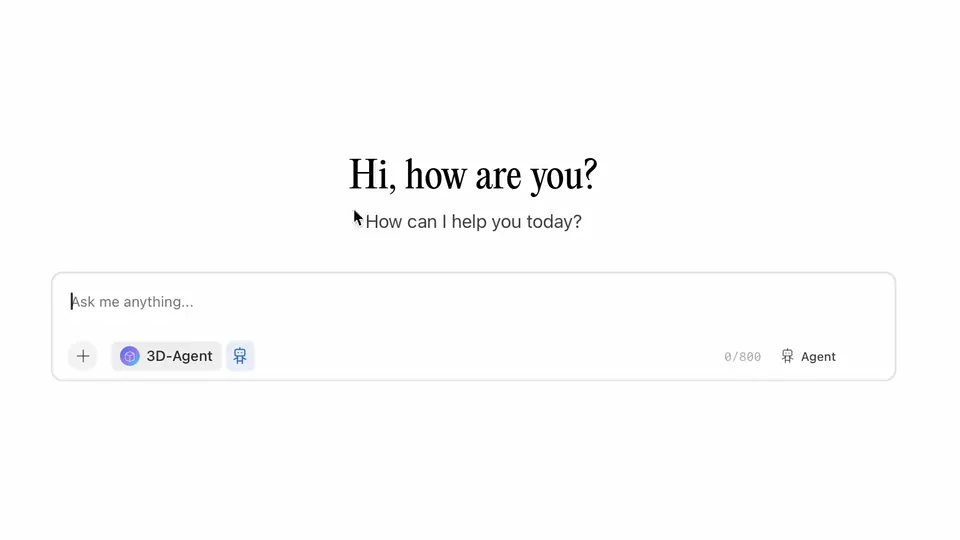
Blender AI tools demonstration

TL;DR — Quick Comparison

Blender AI tools fall into 4 main categories: Text-to-3D generators (like 3D-Agent), AI texturing tools (Dream Textures), AI-assisted modeling (procedural tools), and photogrammetry with AI cleanup (Poly.cam). For most Blender artists, 3D-Agent offers the best balance of features and ease of use with native integration.

Text-to-3D
3D-Agent
Native Blender integration
AI Texturing
Dream Textures
Free, runs locally
AI Modeling
Geometry Nodes + AI
Built into Blender
Scan + AI
Poly.cam
Best mobile scanning

What Are Blender AI Tools?

Blender AI tools are software solutions that use artificial intelligence to enhance or automate parts of the 3D creation workflow. These range from full text-to-3D generators that create models from descriptions, to specialized tools that handle texturing, animation, or mesh cleanup.

Unlike traditional Blender workflows that require manual modeling of every vertex and face, AI tools can generate entire assets, suggest improvements, or automate repetitive tasks. This guide compares every major category of AI tool available for Blender users in 2025.

Whether you need to rapidly prototype concepts, generate production-ready assets, or simply speed up tedious tasks, there's an AI tool for your workflow. Let's break down each category and compare the options.

New to AI in Blender? Start with our complete Blender AI guide for an overview of everything AI can do in your workflow.

Types of AI Tools for Blender

AI tools for Blender fall into four main categories, each serving different parts of your workflow.

Text-to-3D Generators

These tools generate 3D models from text descriptions. Type what you want, and AI creates it. Quality and integration vary significantly between tools.

Best For

  • Rapid prototyping and concept visualization
  • Creating placeholder assets quickly
  • Generating base meshes for further refinement
  • Non-artists who need 3D assets

Top Tools

3D-AgentMeshy.aiRodin by Hyper3D

Pros

  • Fastest way to create 3D assets
  • No modeling skills required
  • Great for iteration and exploration

Cons

  • Output quality varies
  • May need manual cleanup
  • Limited control over exact geometry

AI Texturing & Materials

Generate textures, materials, and UV maps using AI. These tools can create seamless textures from prompts or enhance existing materials.

Best For

  • Creating unique textures from descriptions
  • Generating tileable materials
  • Concept art and mood boards
  • Quick material prototyping

Top Tools

Dream TexturesStability for BlenderPoly.ai Materials

Pros

  • Endless texture variety
  • No need for texture libraries
  • Can run locally (privacy)

Cons

  • Requires good prompting skills
  • Local tools need powerful GPU
  • Seamless tiling can be tricky

AI-Assisted Modeling

Tools that help with the modeling process itself — suggesting geometry, automating retopology, or generating procedural variations.

Best For

  • Automatic retopology
  • Mesh cleanup and optimization
  • Procedural asset generation
  • Geometry suggestions and completion

Top Tools

Blender Geometry NodesQuadRemesherInstantMeshes

Pros

  • Speeds up technical tasks
  • Better topology than manual
  • Integrates with existing workflow

Cons

  • Learning curve for setup
  • Less "creative" than generators
  • Some tools are paid

Photogrammetry + AI Cleanup

Scan real-world objects and let AI clean up the mesh, generate textures, and optimize for use in Blender.

Best For

  • Digitizing real-world objects
  • Creating realistic props from photos
  • Architectural visualization
  • Product visualization

Top Tools

Poly.camRealityScanLuma AI

Pros

  • Photorealistic results possible
  • Captures real-world detail
  • AI handles mesh cleanup

Cons

  • Requires good scanning conditions
  • Best results need LiDAR devices
  • Large file sizes

AI Tools Comparison Table

Side-by-side comparison of the most popular AI tools for Blender.

3D-Agent★★★★★
CategoryText-to-3D
IntegrationNative
PricingFree tier, Pro $10/mo
Clean topology + native Blender
Meshy.ai★★★★
CategoryText-to-3D
IntegrationImport/Export
PricingFree tier, Pro $20/mo
Web-based generation
Rodin★★★★
CategoryText-to-3D
IntegrationAPI
PricingPay-per-use
Production quality
Dream Textures★★★★
CategoryAI Texturing
IntegrationNative
PricingFree (open source)
Local AI texturing
Stability for Blender★★★
CategoryAI Texturing
IntegrationNative
PricingAPI credits
Official Stability AI
Poly.cam★★★★
CategoryScan + AI
IntegrationImport/Export
PricingFree tier, Pro $15/mo
Mobile 3D scanning
BlenderKit★★★★
CategoryAI Search
IntegrationNative
PricingFree tier, Full $50/yr
Asset library

Head-to-Head Comparisons

Detailed breakdowns of the most common tool comparisons.

3D-Agent vs Meshy.ai

3D-Agent

Strengths
  • Works directly inside Blender
  • Clean topology from native Blender tools
  • No file export/import needed
  • MCP integration with AI assistants
  • Lower price point
Weaknesses
  • Requires initial MCP setup
  • Newer platform

Meshy.ai

Strengths
  • Web-based (no installation)
  • Both text and image input
  • Large user community
  • API for automation
Weaknesses
  • Requires export/import workflow
  • Mesh topology often needs cleanup
  • Higher pricing for Pro
  • No native Blender integration

Verdict: Choose 3D-Agent for seamless Blender workflow. Choose Meshy.ai if you prefer web-based tools or need image-to-3D.

Dream Textures vs Stability for Blender

Dream Textures

Strengths
  • Completely free and open source
  • Runs locally (privacy)
  • No ongoing costs
  • Active community
Weaknesses
  • Requires capable GPU
  • Setup can be complex
  • No official support

Stability for Blender

Strengths
  • Official Stability AI support
  • Latest model access
  • No local GPU needed
  • Regular updates
Weaknesses
  • API costs add up
  • Requires internet
  • Less control over models

Verdict: Choose Dream Textures for free, local generation. Choose Stability for official support and cloud convenience.

Recommended Tools by Use Case

Different workflows call for different tools. Here's what we recommend based on your situation.

Hobbyist / Beginner

Just getting started with 3D and want to experiment with AI

Recommended Tools

3D-Agent (free tier)Dream Textures

Workflow

Start with 3D-Agent to generate base models from text. Use Dream Textures for custom materials. Both are free to start.

Freelancer / Professional

Need to deliver client work efficiently

Recommended Tools

3D-Agent ProMeshy.aiBlenderKit

Workflow

Use 3D-Agent for rapid prototyping inside Blender. Meshy for complex generations. BlenderKit for production-ready assets.

Game Developer

Creating game-ready assets at scale

Recommended Tools

3D-AgentRodinPoly.cam

Workflow

3D-Agent for quick iterations. Rodin for hero assets needing clean topology. Poly.cam for real-world reference props.

Archviz / Product Viz

Photorealistic visualization projects

Recommended Tools

Poly.cam3D-AgentDream Textures

Workflow

Scan real products with Poly.cam. Generate furniture/props with 3D-Agent. Create custom materials with Dream Textures.

For more details on AI workflows, read our complete Blender AI guide.

Frequently Asked Questions

What are the best AI tools for Blender in 2025?

The best AI tools for Blender depend on your needs. For text-to-3D generation, 3D-Agent offers the best native integration. For AI texturing, Dream Textures is free and powerful. For photogrammetry, Poly.cam leads the market.

Is there a free AI tool for Blender?

Yes! Dream Textures is completely free and open source for AI texturing. 3D-Agent offers a generous free tier for text-to-3D generation. BlenderKit also has a free tier for accessing AI-curated assets.

What is the difference between AI plugins and AI tools for Blender?

AI plugins are addons that install directly into Blender (like 3D-Agent or Dream Textures). AI tools is a broader term that includes plugins, web apps (like Meshy.ai), and mobile apps (like Poly.cam) that work with Blender through export/import.

Can AI tools generate production-ready 3D models?

Yes, but quality varies. Tools like 3D-Agent and Rodin can generate models suitable for production, though complex assets may need manual refinement. AI tools are best for prototyping, base meshes, and accelerating workflows.

Do I need a powerful computer for Blender AI tools?

It depends on the tool. Cloud-based tools like Meshy.ai and 3D-Agent run on remote servers, so any computer works. Local tools like Dream Textures require a capable GPU (RTX 3060 or better recommended).

How do AI tools compare to traditional Blender modeling?

AI tools are faster for initial creation but offer less control. Traditional modeling gives precise control but takes longer. Most professionals use both: AI for rapid iteration and base meshes, traditional modeling for refinement and specific requirements.

Ready to Transform Your Blender Workflow?

3D-Agent combines the best of AI tools in one native Blender integration. No export/import hassle, no complex setup — just describe what you want and create.

  • Native Blender integration
  • Text-to-3D generation
  • Free tier available
  • 5-minute setup

Get Started Free

Try 3D-Agent with no credit card required. See why it's the top-rated Blender AI tool.