 3D-Agent
How to retopologize an AI-generated model in Blender
 Hugo Caumo1 min read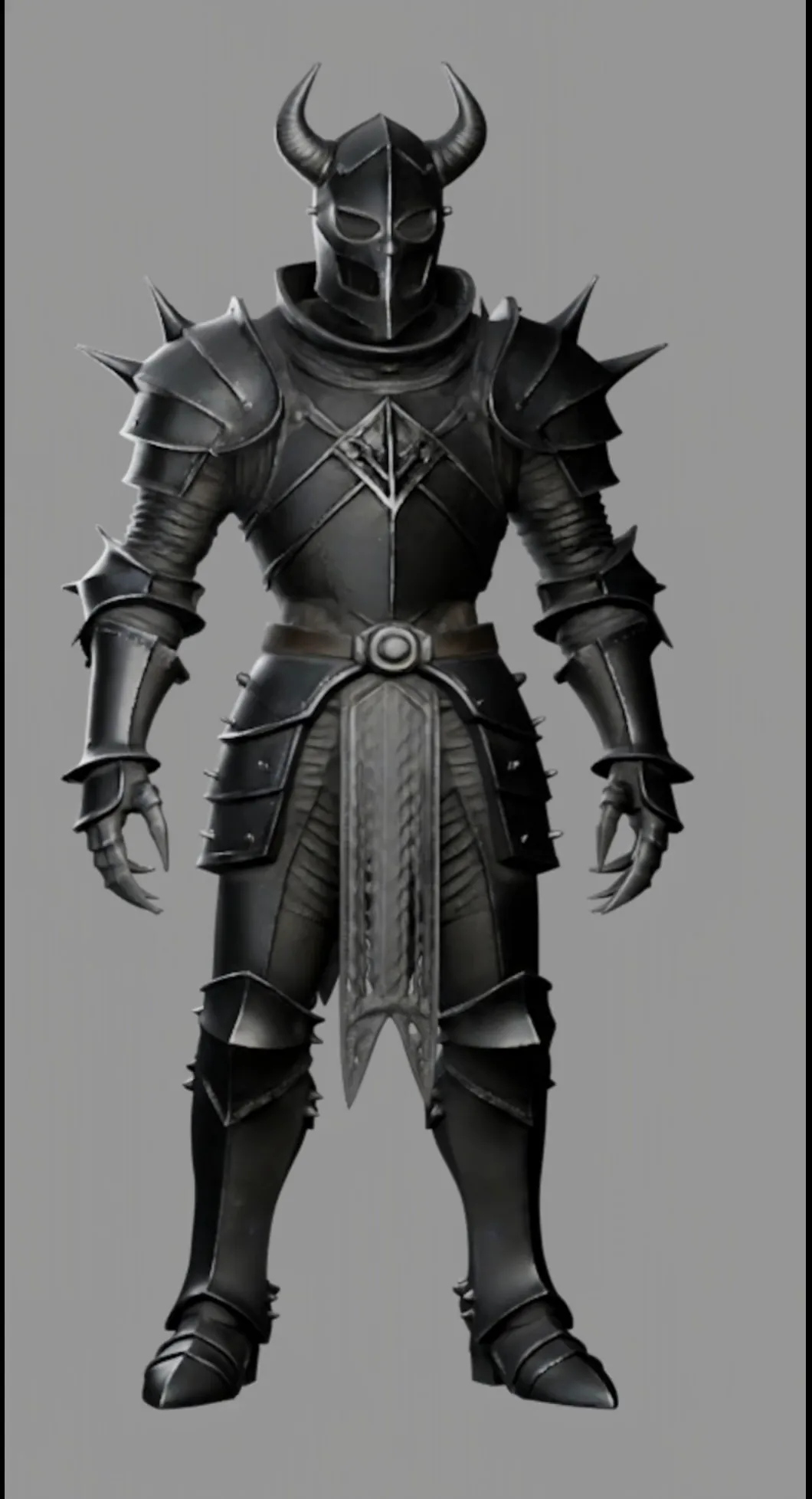
AI generators and scanners hand you millions of messy triangles. That's fine for a still render and useless for rigging, UVs or a game engine. This guide shows which retopology method fits your model, and the prompt that turns a dense knight into clean quads.
Key takeaways
- Remesh for printing and sculpting, Decimate for previews, quad retopology for anything that moves.
- Give the agent a target polycount so it spends polygons where the shape needs them.
- Bake a normal map from the original so the light mesh keeps its detail.
What is retopology?
Retopology rebuilds a model's surface with clean, even polygons that follow its shape. A clean quad mesh deforms properly when rigged, unwraps without stretching and stays light in a game engine.
If you came from the Blender AI guide, this is the step between "the model looks right" and "the model is usable".
Which method should you use?
| Method | Best for | Result |
|---|---|---|
| Voxel Remesh | 3D printing, sculpting | Even, no edge flow |
| Decimate | Previews, LODs | Triangles |
| Quad retopology | Rigging, games, UVs | Clean quads with flow |
How do you retopologize with one prompt?
Open the model, select it and send this to 3D-Agent. It reads your viewport, so you don't need to name the object.
Prompt · RetopologyRetopologize the selected mesh to about 18,000 quads.
Retopologize the selected mesh to about 18,000 quads.
Keep the silhouette of the horns and gauntlets sharp.
Mark seams along the armor plates.
Keep the original mesh hidden and rename it knight_high for baking.
Without a target the agent picks a safe default. With one, it puts dense loops on horns and fingers and large quads on flat plates.
How do you keep the detail?
With the original kept as knight_high, one more prompt bakes its surface detail onto the new mesh.
Prompt · Normal bakeBake a normal map from knight_high onto the selected low-poly mesh at 2048 px.
Bake a normal map from knight_high onto the selected low-poly mesh at 2048 px.
Use a cage so the horns don't clip, then show the result in Material Preview.
Run these prompts in your own Blender
3D-Agent works inside Blender on macOS and Windows.
Questions
Does this work on models from other AI generators?
Yes. Any mesh Blender can import works: GLB, OBJ, FBX or STL from Meshy, Tripo, Rodin or a scan.
Will it ruin my UVs?
Retopology creates new geometry, so the agent unwraps the new mesh and bakes textures across from the original.
How many prompts does it use?
One for the retopology and one for the bake, on any plan.
Comments