I Gave 3D-Agent One Hour to Turn This Monster Into a Boss
 Hugo Caumo9 min read
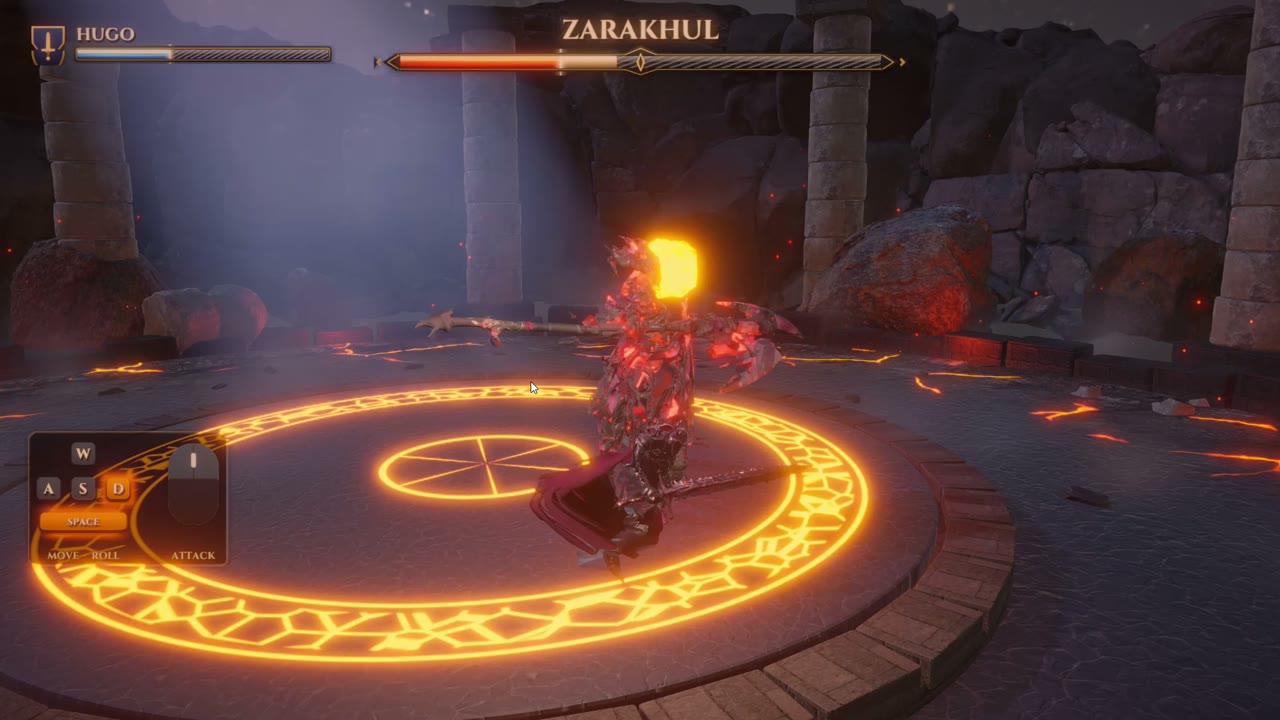
I didn't rig this monster. 3D-Agent did, in one hour.
I found an amazing monster on Sketchfab: a demon centaur with horns, a burning chest and a giant halberd. And he had the problem every downloaded monster has. He looks great, and he never moves. No skeleton, no animation, and 2.3 million triangles, way too heavy for any game.
So I gave myself one hour. 3D-Agent does all the work in Blender, and I only type the prompts. I don't touch Blender once. When the hour is over, I put him in a real game and I fight him. And you can download that fight and play it yourself.
This post is the written version of my video. It goes through the whole workflow in five steps: cutting the mesh, the bones, the skin weights, the six moves, and getting him into a game. You get the three real prompts I typed, word for word, and a template for each one, with the words to swap highlighted. Open one to read it or copy it.
The challenge: one hour, three prompts
Here are the rules I gave myself:
- One hour. The clock starts when I send the first prompt.
- 3D-Agent does the work. It drives Blender. I can type prompts, and that's it.
- Five checkpoints. The source, the mesh, the bones, the moves and the fight. Each one is on time or late.
What can be ready before the clock: the stuff around the boss. The fight script, the player character and the arena were set up before I started. Everything that makes him a boss had to happen inside the hour.
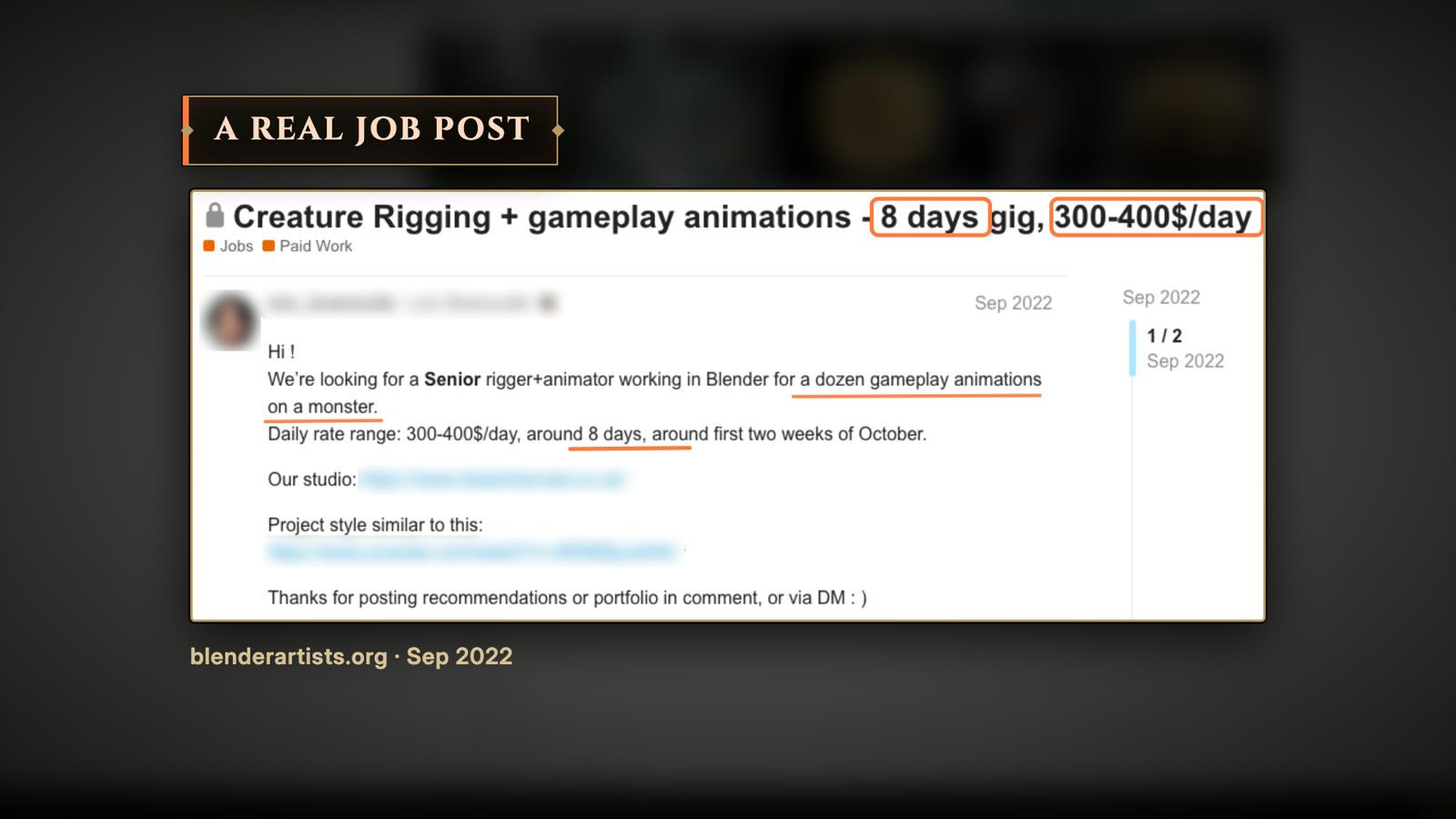
To see what this is worth, look at this real job post. A studio wanted one monster rigged with a dozen gameplay animations. They planned 8 days at $300–400 a day: that's $2,400 to $3,200 of work. I had one hour and no animator.
The monster
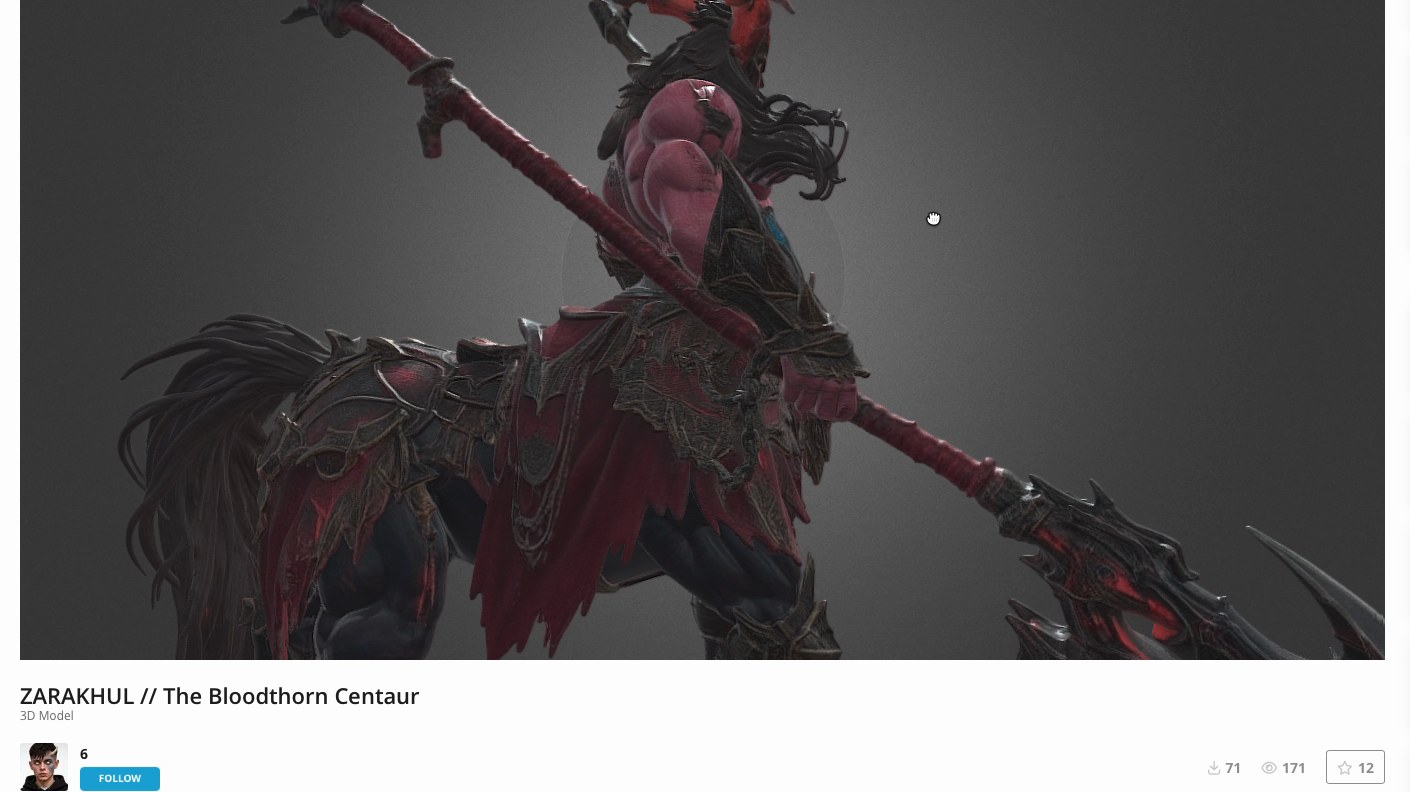
This is ZARAKHUL // The Bloodthorn Centaur by 6, on Sketchfab, under CC BY 4.0. That license means you can use it in your own project if you credit the author, which is why I picked it.
Here's why a centaur is a hard test. A human has two legs that bend one way. A centaur has a human body on top of a horse, so it has four horse legs with knees, hocks and hooves, plus two arms, a head and a tail. Every one of those joints has to be in the right place, or the legs bend like rubber.
How to turn a 3D model into a game boss in 5 steps
- Cut the mesh for a game
From 2.3 million triangles to under 100,000.
- Give him bones
A skeleton with the joints in the right places.
- Skin him and test the bends
How much each bone pulls the skin.
- Animate the boss moves
Six moves on one timeline.
- Put him in a game
Export for Unity and fight him.
Step 1: Cut the mesh for a game
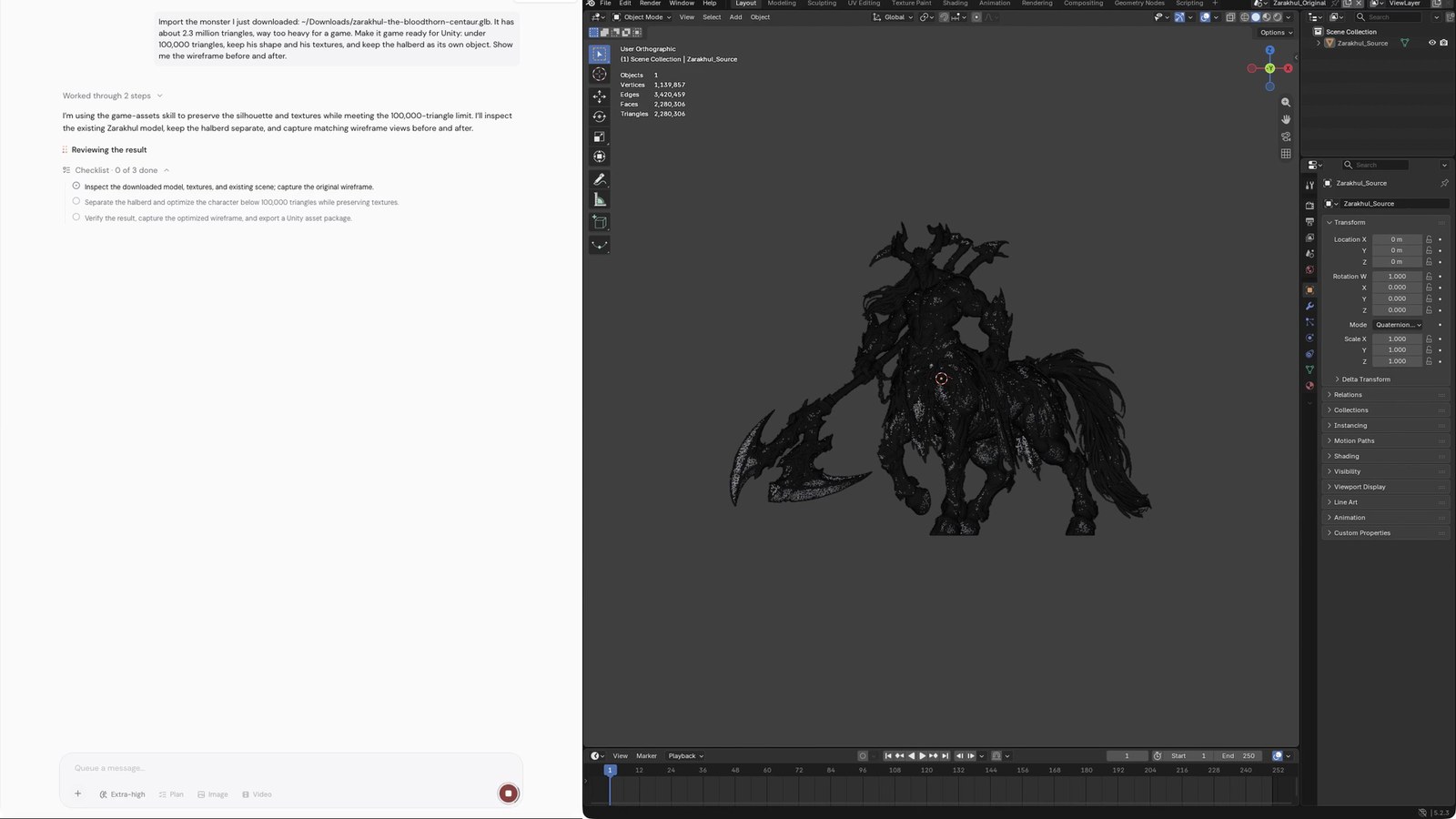
A model for a film can have millions of triangles. A model for a game can't. Every triangle costs the game time on every frame, and a boss is on screen the whole fight. So the first job is to cut the mesh down, and keep how he looks.
Triangles are the tiny flat pieces the surface of every 3D model is made of. More triangles means more detail, and a slower game.
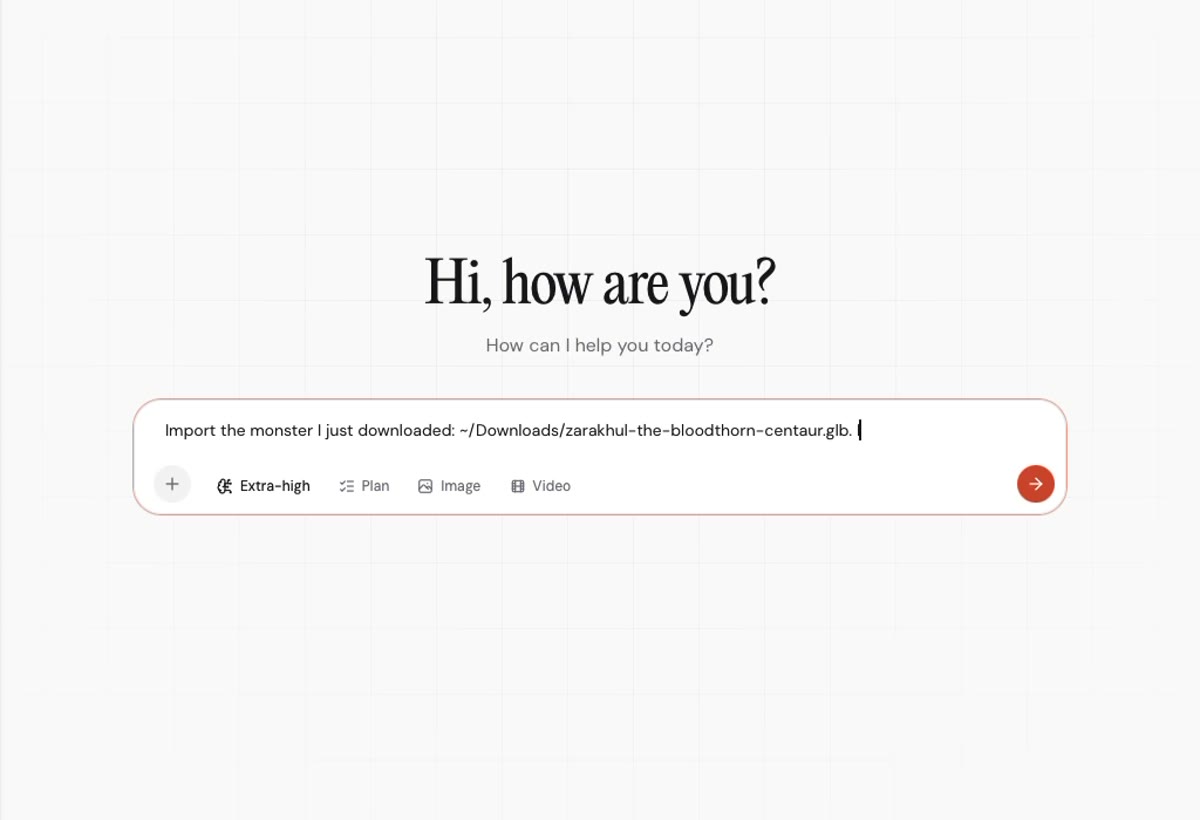
This is the exact prompt I sent at 00:00:
Prompt · Prompt 1 · the real prompt from the video
Import the monster I just downloaded: ~/Downloads/zarakhul-the-bloodthorn-centaur.glb. It has about 2.3 million triangles, way too heavy for a game. Make it game ready for Unity: under 100,000 triangles, keep his shape and his textures, and keep the halberd as its own object. Show me the wireframe before and after.
Here's what 3D-Agent did:
- It imported the model with its three texture maps.
- It found the problem I didn't see: the halberd was fused to his hand. It cut the weapon out as its own object, so it can move with the hand later.
- It wrote an optimization script and reduced the body and the weapon separately.
- It put the body's pivot at his feet and the halberd's pivot at the grip, so both are ready for a game engine.
- It made a before-and-after wireframe by itself, and exported the first version for Unity.
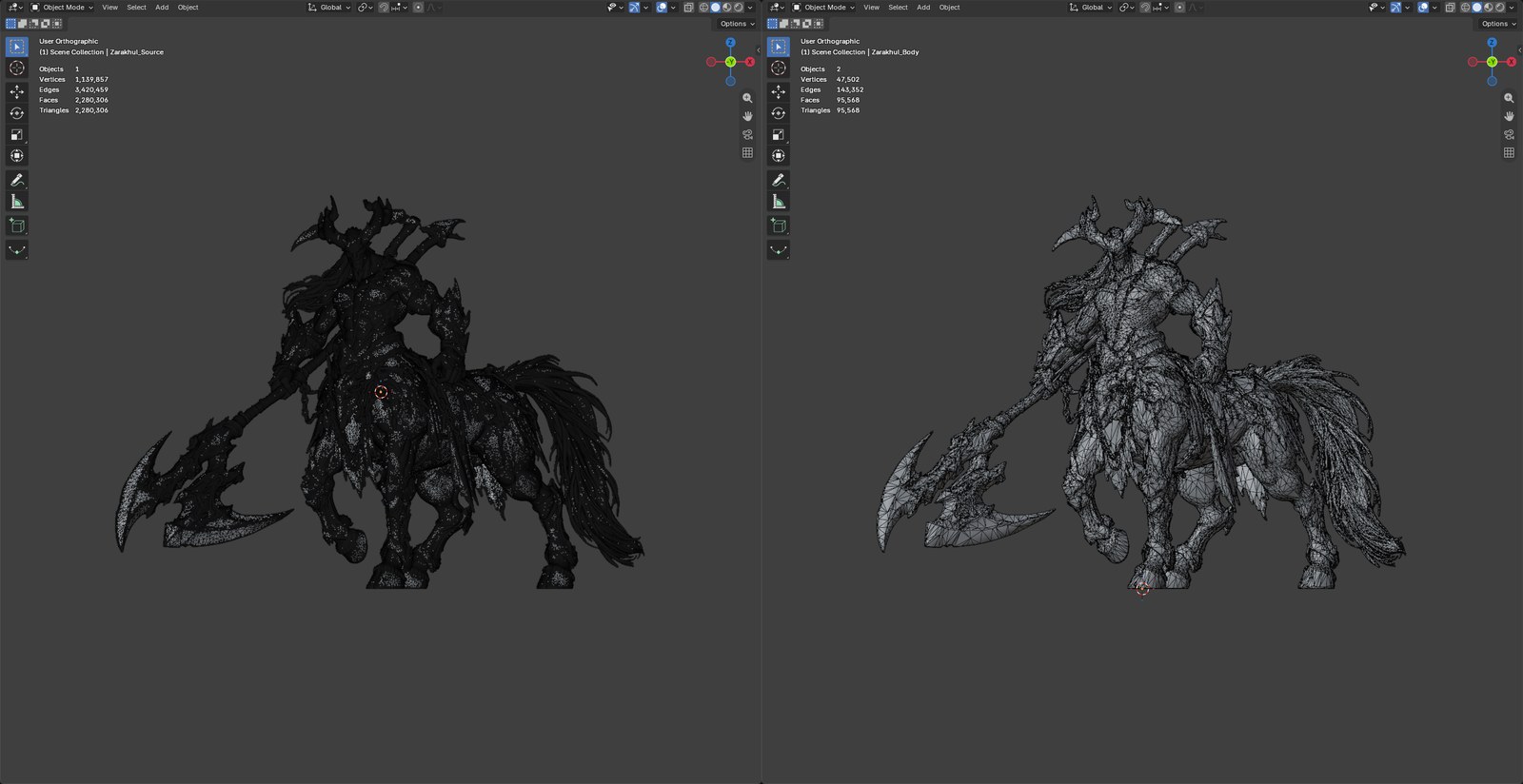
The result: 2,280,306 → 95,568 triangles. That's 85,732 for the body and 9,836 for the halberd: 24 times lighter, 95.8% fewer triangles, with the same silhouette and the same textures.
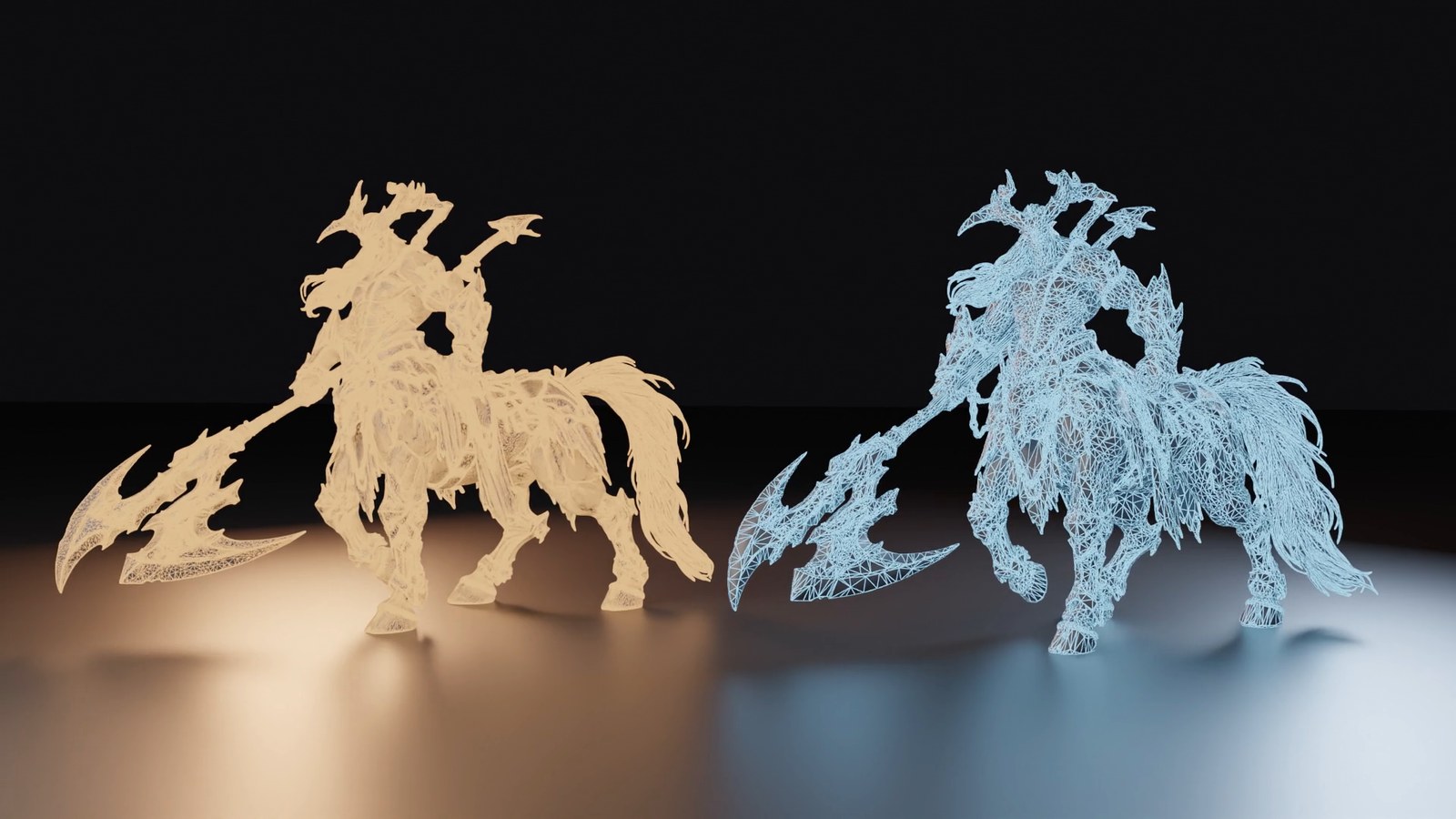
Checkpoint 2, the mesh, was done at 19:50, with the Unity package and the wireframe images saved.
If you want to do the same with your own model, this is the template. The parts that matter are the triangle budget, what to keep, and what to separate.
Prompt · Make a downloaded model game ready (template)
Import the model I just downloaded: ~/Downloads/your-model.glb. It has about how many triangles, too heavy for a game. Make it game ready for Unity or Unreal: under 100,000 triangles, keep its shape and its textures, and keep the weapon, the shield, any part that must move on its own as its own object. Show me the wireframe before and after, and report the triangles per object.
Step 2: Give him bones
A rig is the skeleton inside the model. Each bone moves a part of the body, so without bones, nothing can move. Most auto-rig tools are made for two-legged humans, and a centaur isn't one.
This is the part I was scared of. I sent the second prompt at 22:24:
Prompt · Prompt 2 · the real prompt from the video
Now give him bones so he can move. He is a centaur: four horse legs with hooves, a horse body, a human torso with two arms, a head and a tail. Put the joints where his real knees and hocks are, then skin him with good weights so the legs bend cleanly. Bind the halberd to his right hand.
Notice how I describe the body. I don't say "rig it". I say what he is, part by part, and where the joints must go. That's the trick for any creature that isn't human: tell it the anatomy.
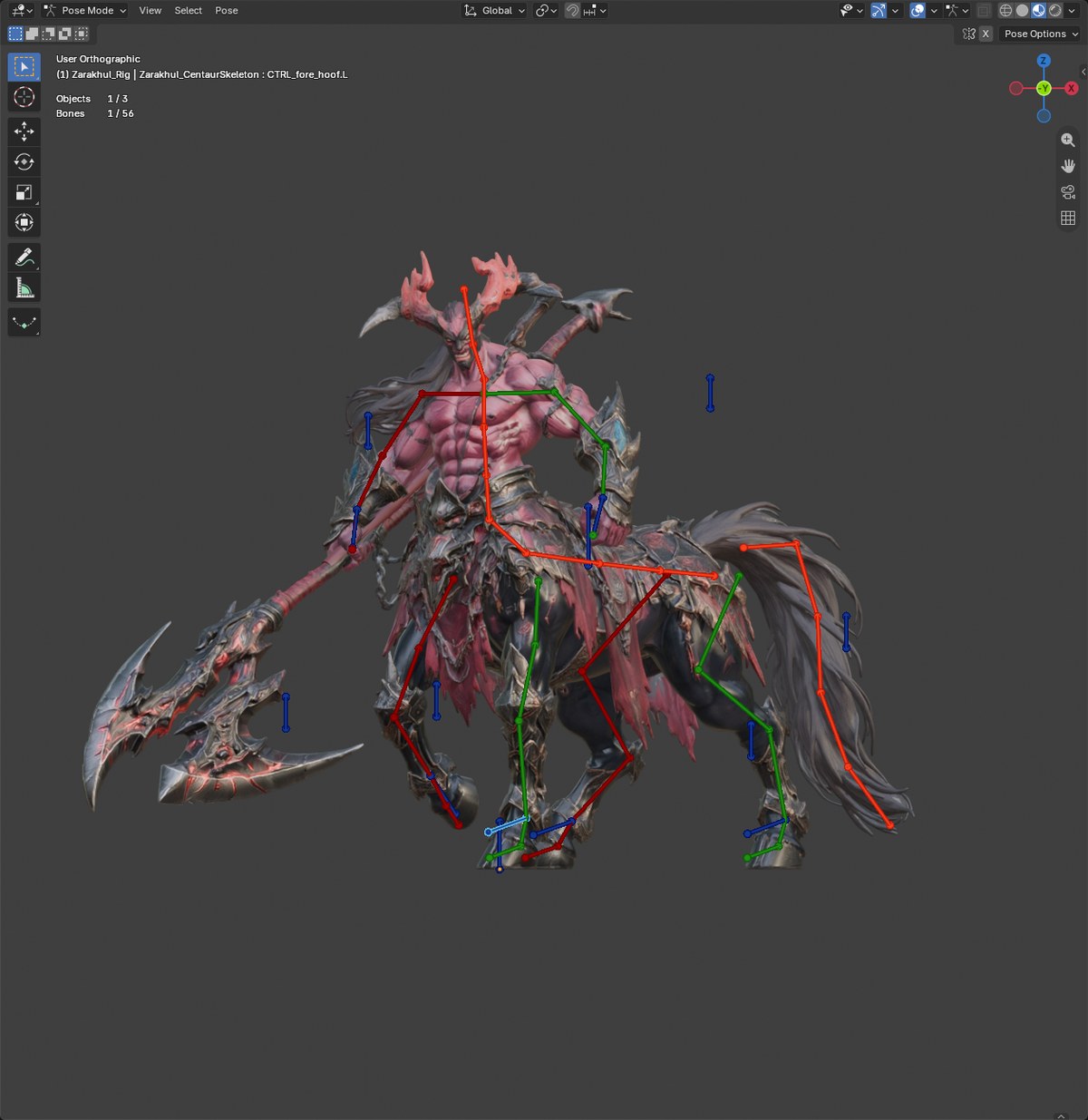
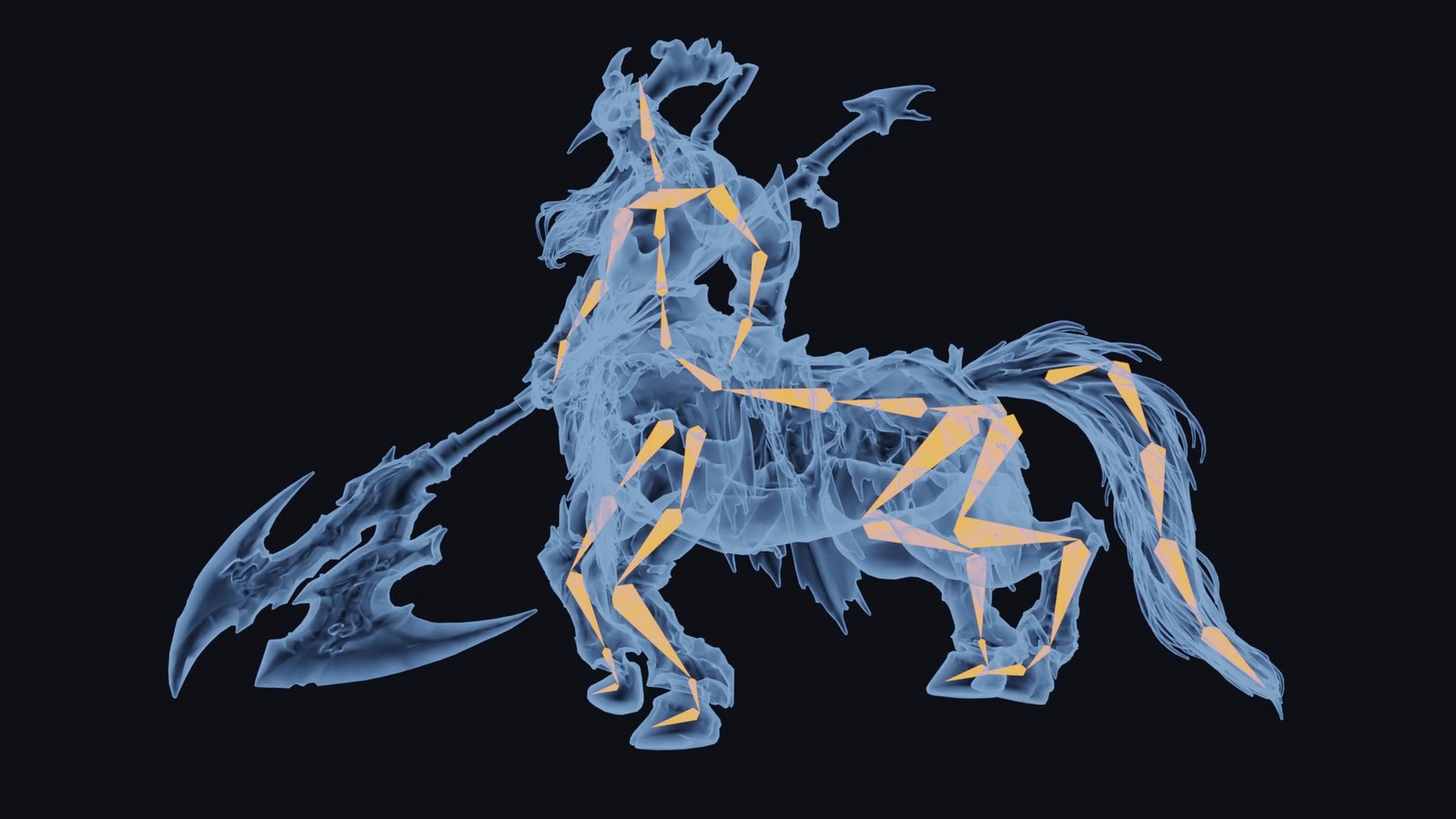
3D-Agent built 54 bones:
- Four leg chains, each with a knee or a hock, a fetlock, and a hoof control, so the hooves can be planted on the ground.
- The horse body and the human torso.
- Two arms, with the halberd bound to the right hand.
- A head, and a tail with 5 bones, so it can swing.
Here are the bones glowing inside him while he walks:
Prompt · Rig a creature that isn't human (template)
Now give him bones so he can move. He is a creature: list every part: legs and what kind, body, arms, head, tail, wings. Put the joints where his real knees, hocks, elbows are, then skin him with good weights so the legs bend cleanly. Bind the weapon to his right hand.
Step 3: Skin him and test the bends
Bones alone don't move the model. Skin weights decide how much each bone pulls each part of the skin, like strings on a puppet. Bad weights are why legs bend like rubber, or a knee pulls half the belly with it.
3D-Agent did the weights in two passes. First it skinned the whole body, then it went back and refined the hard areas by itself: the limbs, the hooves, the tail and the hands. Then it tested its own work with two poses:
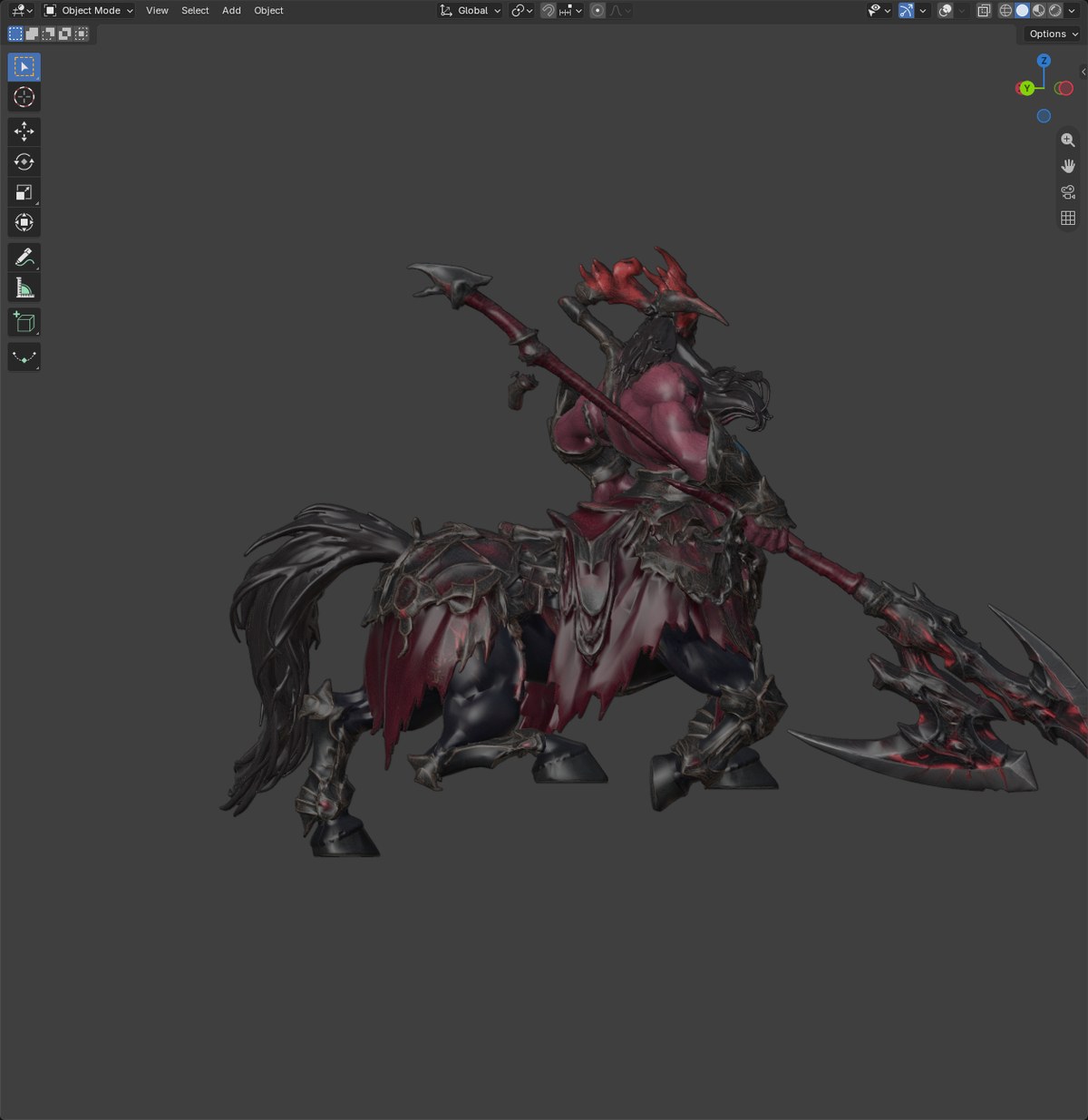
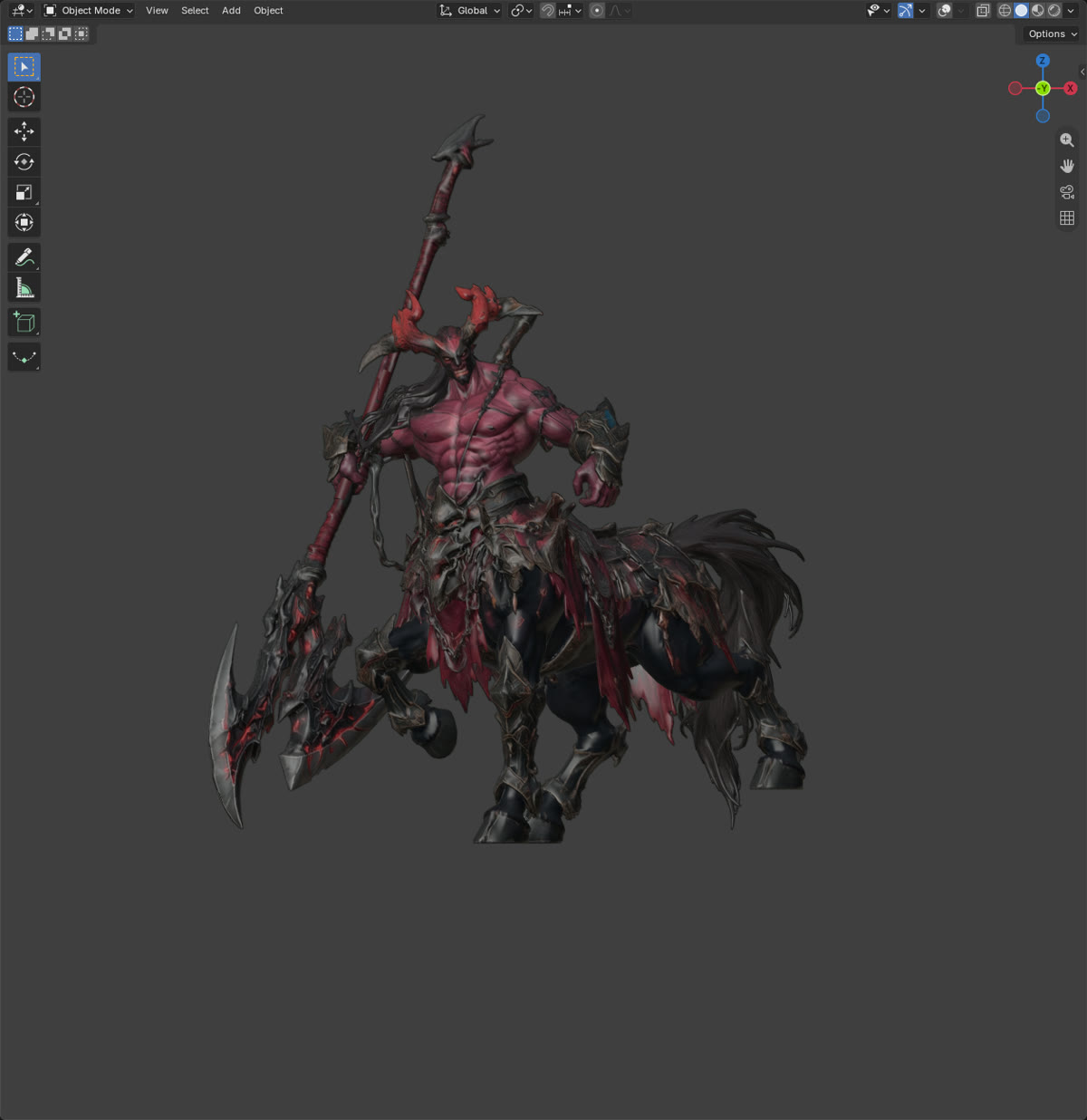
A deep bend in every leg, and a big reach with the weapon. Those are the two poses where bad weights show first, and both held up.
The bones and the weights were done at 40:00: checkpoint 3. Twenty minutes left for every move.
Step 4: Animate the boss moves
While 3D-Agent was still working on the weights, I typed the third prompt and queued it, at 33:07. It started by itself the moment the bones were done.
Prompt · Prompt 3 · the real prompt from the video
Then animate him for a boss fight, all in one timeline at 30 fps, one move every 90 frames: Idle at frame 0 (loop), Walk at 90 (a four-beat horse walk in place, loop), Slam at 180 (he raises the halberd and slams it into the floor), Roar at 270, Hit at 360 (a short flinch), Death at 450 (he falls to the ground). Then export him for Unity as one FBX with the bones, the animation and the textures.
A few things in this prompt make a big difference:
- One timeline, one move every 90 frames. Every move starts on a known frame, so splitting them later in the game engine is easy.
- Which moves loop. Idle and Walk repeat during the fight, so they must end exactly where they start.
- "In place". The walk moves his legs, not his body. The game script moves him across the arena. That's called an in-place animation, and it's simpler to control in a fight.
- What each move does. "He raises the halberd and slams it into the floor" is a better prompt than just "attack".
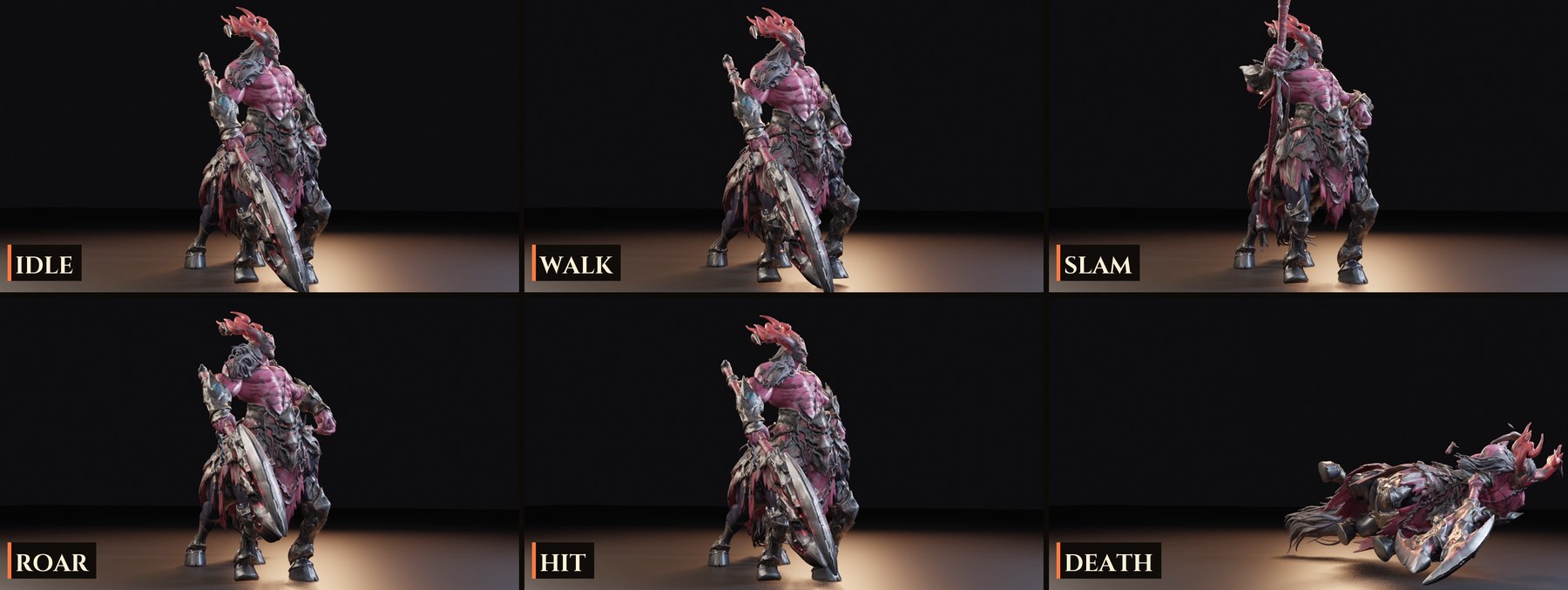
And then 3D-Agent checked its own animation, and wrote down the results:
- The walk is a real four-beat horse walk: hind left, fore left, hind right, fore right. That's the order a real horse uses.
- A planted hoof stays within half a millimeter of the ground, so the feet don't slide.
- Idle and Walk loop cleanly.
- The slam hits the floor on frames 232 to 239.
- In Death, he falls and settles on the ground instead of floating.
The animated FBX, with the bones, the six moves and the textures, was saved at 56:39. Done at 57 minutes, with three minutes to spare.
Prompt · Animate a boss for a game (template)
Then animate him for a boss fight, all in one timeline at 30 fps, one move every 90 frames: Idle at frame 0 (loop), Walk at 90 (the kind of walk, in place, loop), Attack 1 at 180 (what the attack looks like, start to end), Attack 2 at 270, Hit at 360 (a short flinch), Death at 450 (how he falls). Then export him for Unity as one FBX with the bones, the animation and the textures. Check the loops and that the feet don't slide.
Step 5: Put him in a game
After the hour, he went into Unity. The fight script was ready before the clock, so I just dropped him in.

Here's something I like about this setup. The fight needs more attacks than six. A sweep, a backhand, a fireball cast, a victory pose and a run. But it doesn't need new animations for them. Each one reuses one of 3D-Agent's six moves: the sweep and the backhand use the Slam, the cast and the victory use the Roar, and the run uses the Walk. So every frame of the boss you see in the fight is 3D-Agent's work.
The Animator in Unity is the brain of the boss. It picks which move plays: walk toward the player, slam, roar, flinch when hit, and die at zero health.
The arena
The arena in the fight was built before the clock: a stone floor with lava cracks, a rune circle in the middle, broken pillars, cliffs and one moonbeam.

During the hour I built a second arena too, and then I lost that file. So after the hour, I gave 3D-Agent three prompts and asked for an arena like ours, starting from an empty Blender scene, with a picture of our arena as the reference. These are the exact prompts:
Prompt · Arena prompt 1 · the layout
Let's build a boss arena in this empty Blender scene, like the picture in ~/Downloads/arena-reference.png. A round stone floor about 30 meters wide with glowing lava cracks, a raised round dais in the center with a golden rune ring, a low wall of stone blocks around the floor, a lava moat outside the wall, broken stone pillars, rocks and boulders, and rocky cliffs all around, like a crater. Make it game ready for Unity: real scale, clean low-poly shapes, and every part named.
Prompt · Arena prompt 2 · the look and the render
Now make it look like the picture: dark volcanic stone, bright orange lava that glows, glowing golden runes on the dais. A night sky with cold blue moonlight, one moonbeam on the center, warm light from the lava, and some fog. Put a low hero camera at the edge and render me a picture of the arena.
Prompt · Arena prompt 3 · export for Unity
Export the arena for Unity as one FBX with its textures, and save the Blender file.
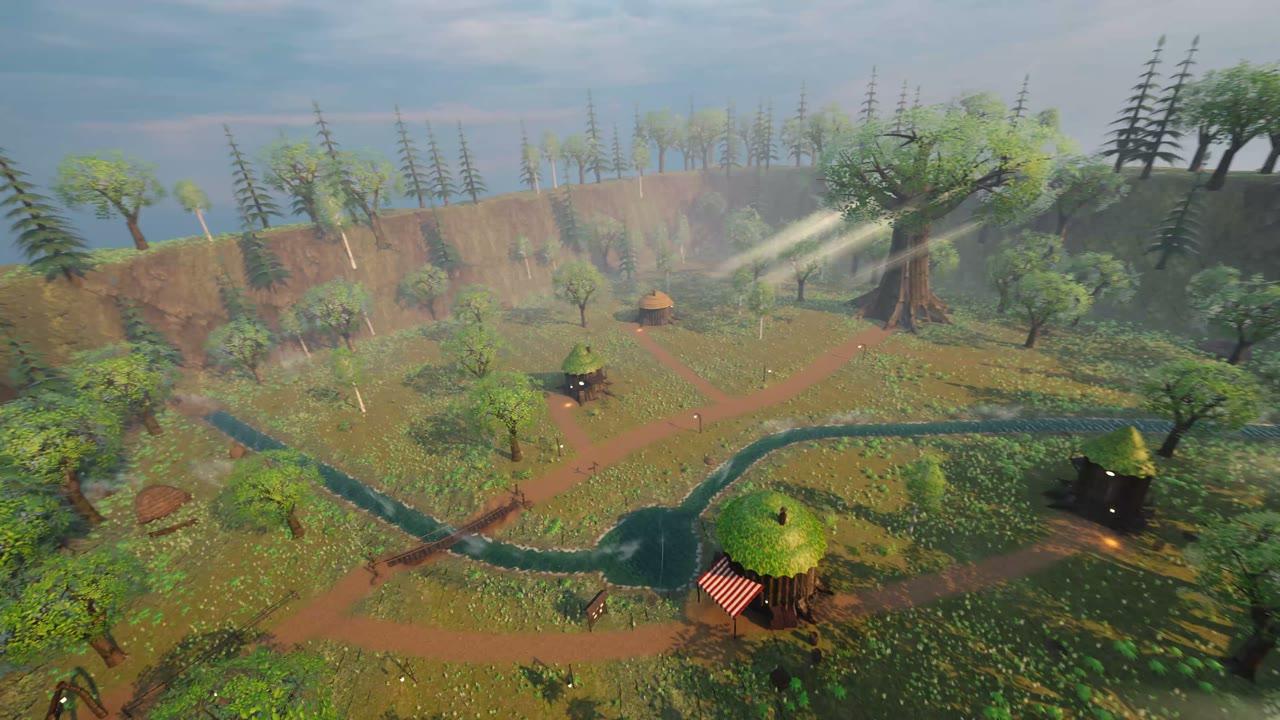
The first prompt took 29 minutes, the second 10 and the third 5. Forty-six minutes later, it had built this:
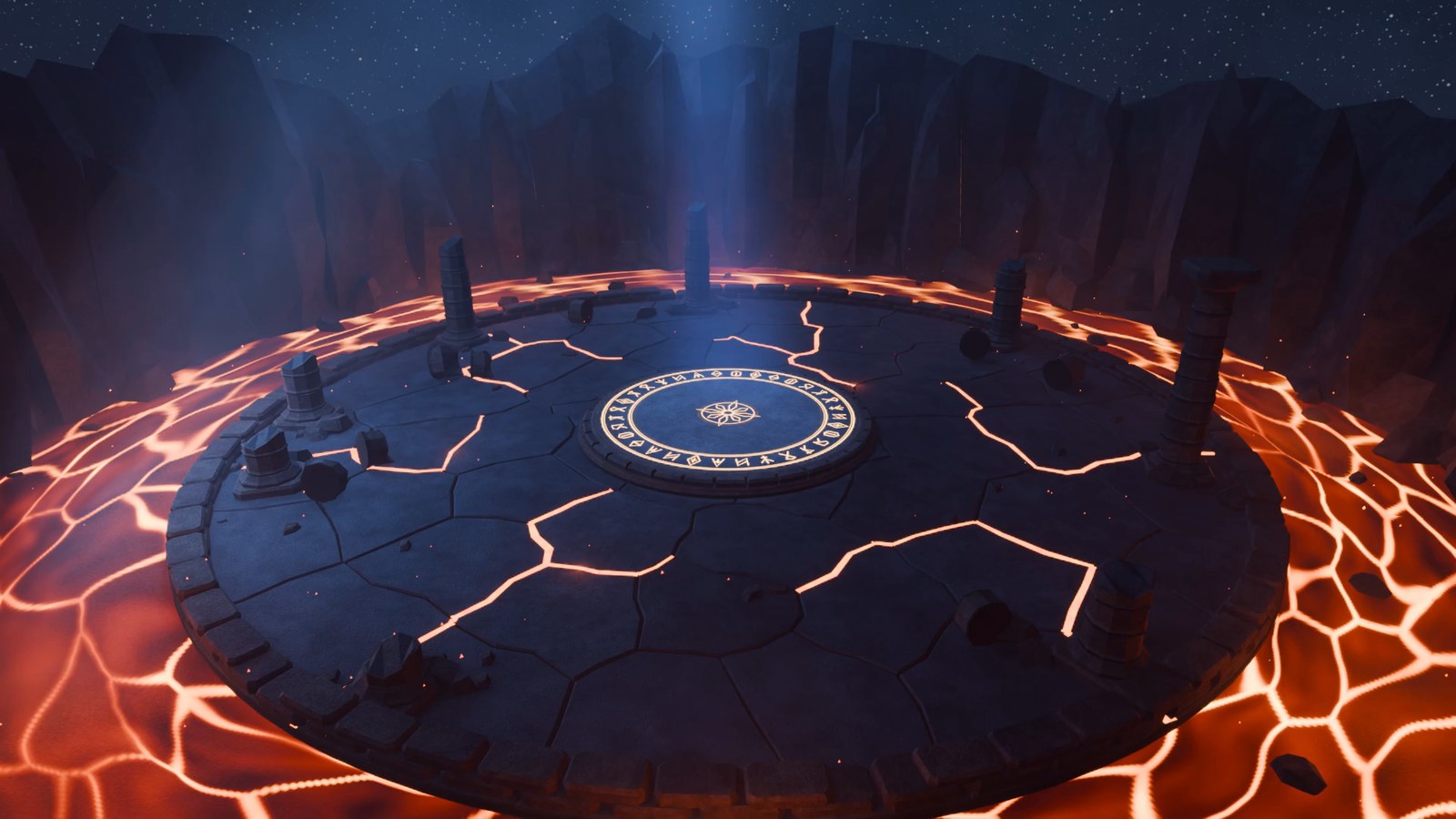
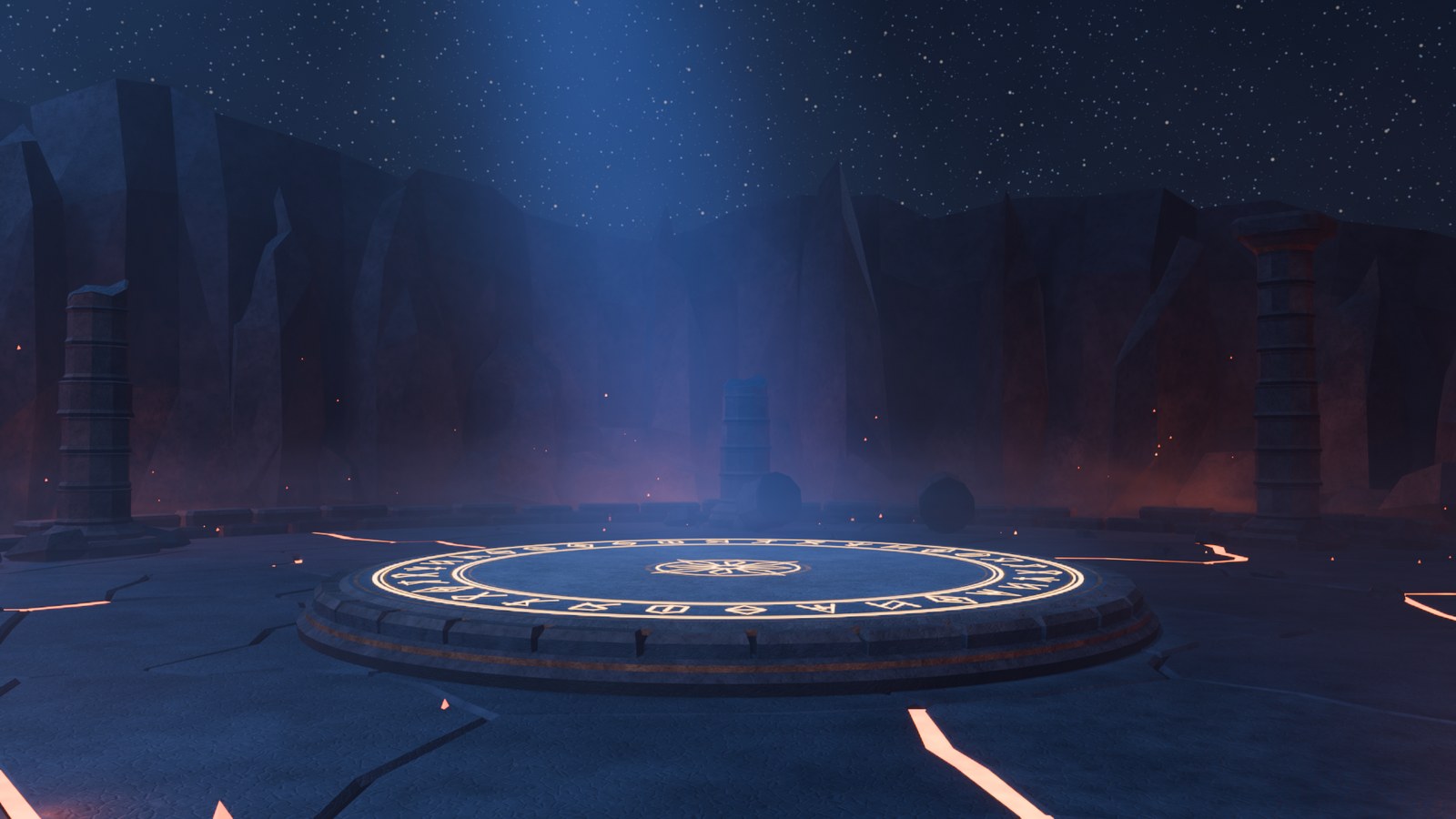
It reports 28,332 triangles and 360 named parts, and it exported the arena for Unity as one FBX with its textures. This one isn't in the fight, but it shows you can get the whole set, not only the boss.
Prompt · Build an arena from a reference (template)
Let's build a boss arena in this empty Blender scene, like the picture in ~/Downloads/reference.png. A round stone floor about 30 meters wide with glowing lava cracks, a raised dais in the center, a low wall around the floor, broken pillars, rocks and boulders, and rocky cliffs all around. Make it game ready for Unity: real scale, clean low-poly shapes, and every part named.
The fight
Here's the real fight, me against 3D-Agent's boss:
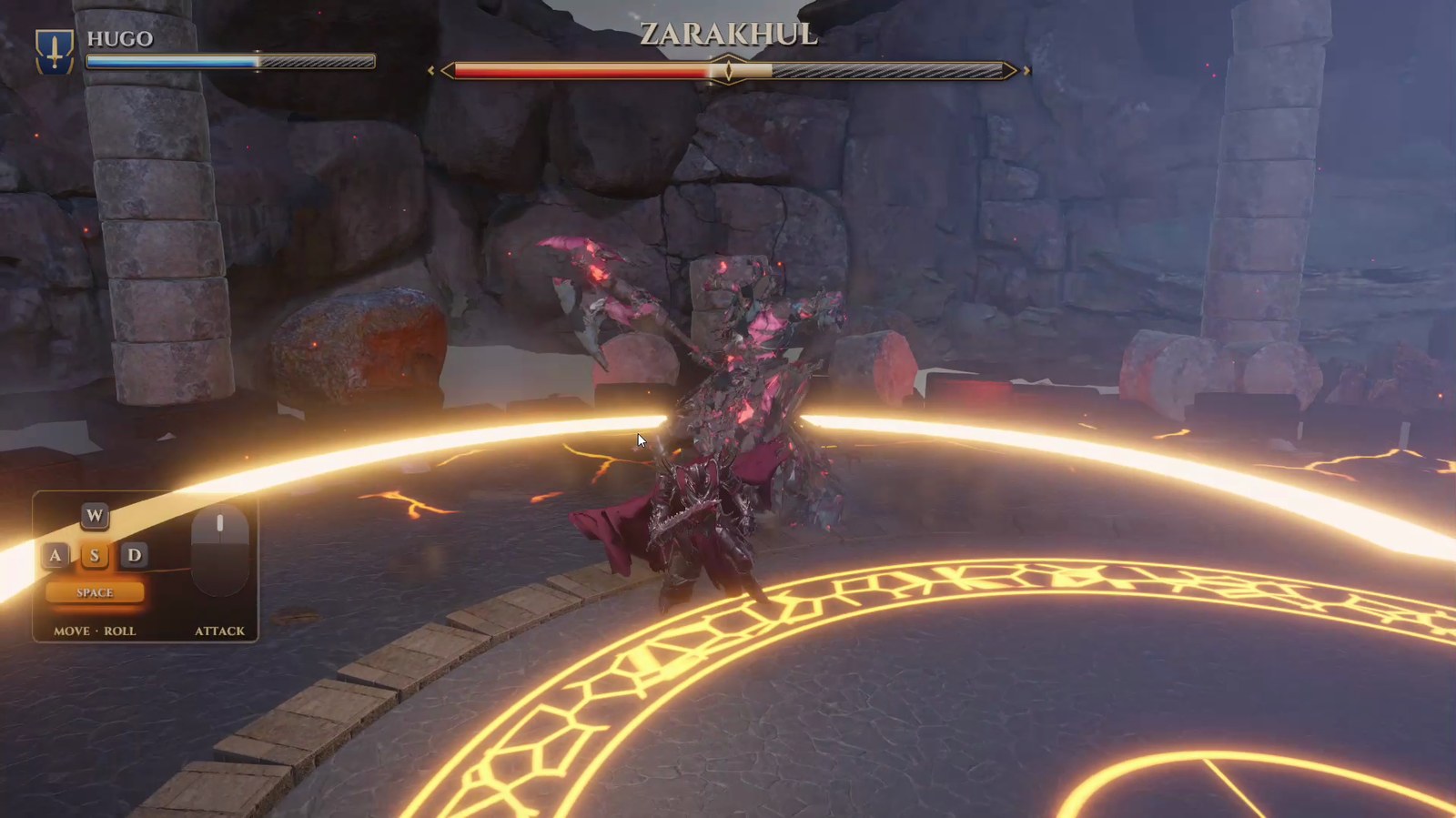
Every few attacks he casts a fireball. And at half health he gets angry: the runes and the cracks in his skin glow hotter, his warnings get shorter, and he attacks and walks faster. A yellow ring on the floor means a slam is coming, so you roll out of it. He hit me more than once.
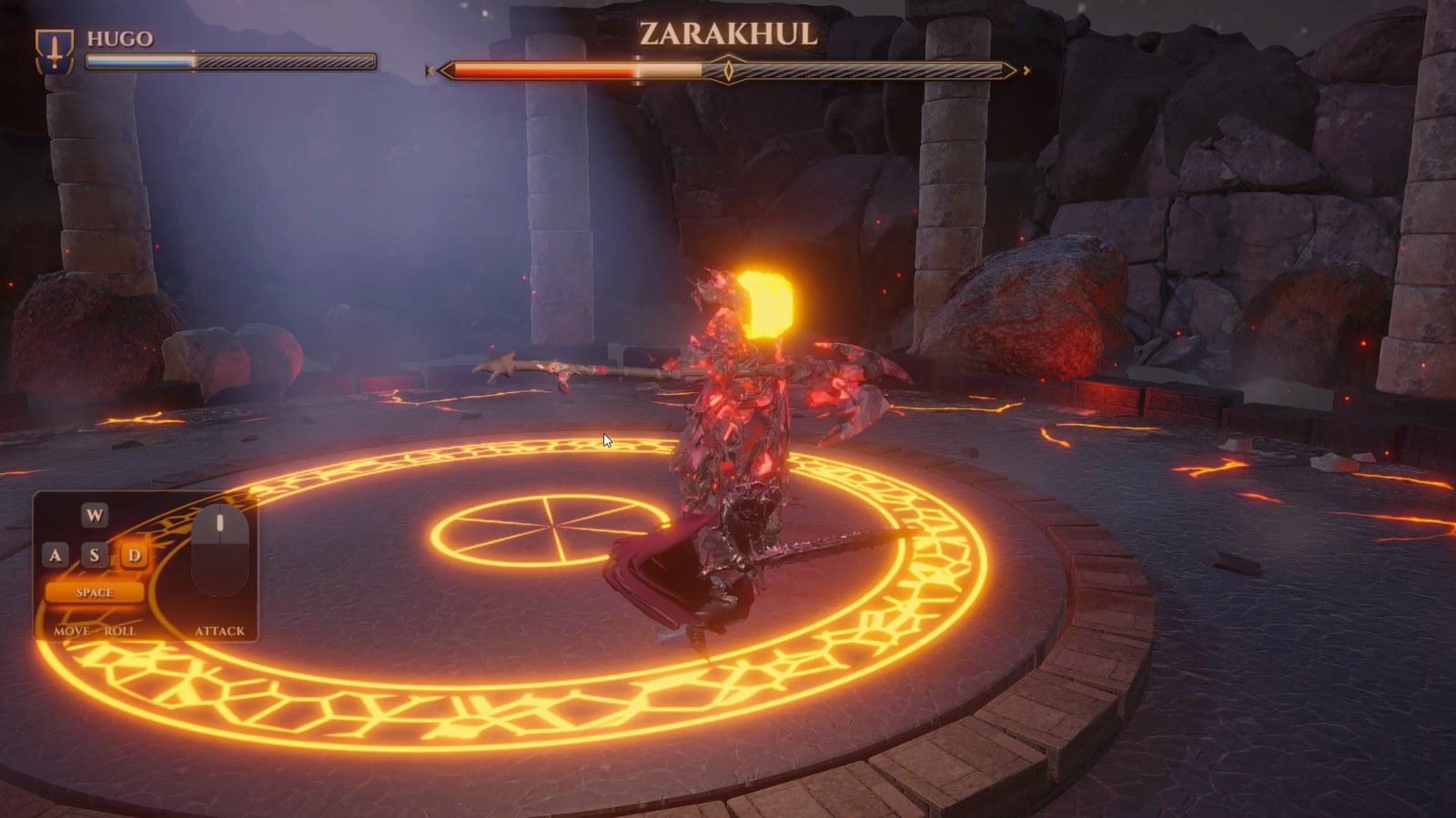
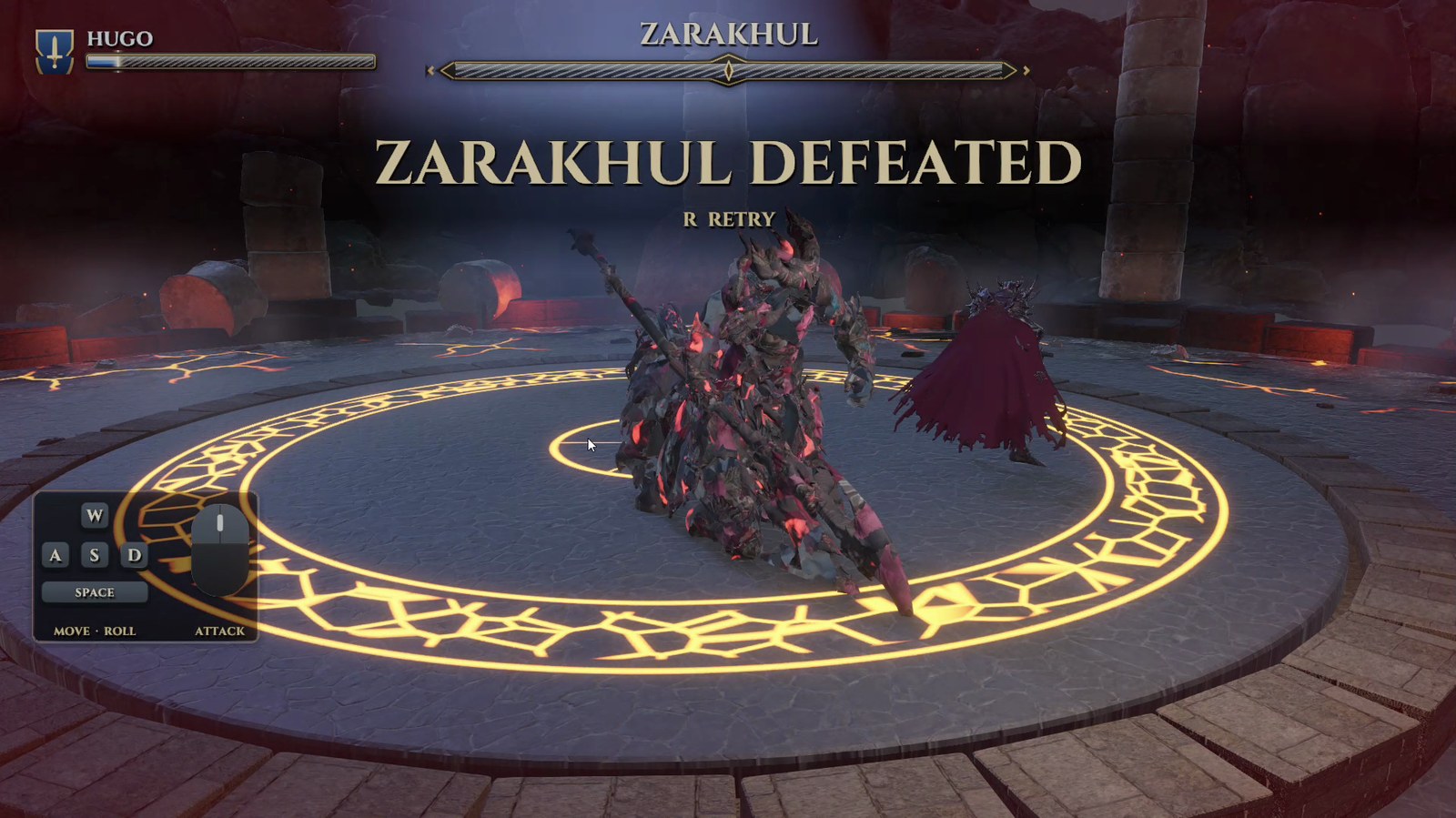
I won. All five checkpoints on time, and the moves landed with three minutes left.
Download the boss fight
Credits
- "ZARAKHUL // The Bloodthorn Centaur" (skfb.ly/pPQRN) by 6, licensed under CC BY 4.0. Changes: reduced geometry, skeleton, skin weights and animation by 3D-Agent.
- "Dark Spiked Gothic Knight with Broken Sword" (skfb.ly/pDRwq) by Pigcraft, licensed under CC BY 4.0. Used for the player.
- Arena textures, rocks, cliffs and sky from Poly Haven (CC0).
- Music: "Epic Boss Battle" by Juhani Junkala (CC0), from OpenGameArt.
- Creature sounds from OpenGameArt, combat sounds by Kenney (CC0).
Make your own monster into a boss with 3D-Agent
Download a model, write three prompts, and 3D-Agent does the mesh, the bones and the moves in your own Blender. And tell me in the comments: which monster should be next?
Questions
Can AI rig a 3D model?
Yes. In this project, 3D-Agent built a 54-bone skeleton for a four-legged centaur, skinned it and tested the bends in Blender, in about 18 minutes. Describing the anatomy in the prompt, part by part, is what makes it work for creatures that aren't human.
Can AI animate a character for a game?
It animated six boss moves here: Idle, Walk, Slam, Roar, Hit and Death, on one timeline, with clean loops and feet that don't slide. It's enough for a boss or an enemy. For a hero character the player sees up close all game, you still want an animator.
How many triangles should a game boss have?
It depends on the game, but under 100,000 is a safe target for a boss on PC. This one went from 2,280,306 to 95,568 triangles, 24 times lighter, and kept its shape and textures.
What is an in-place animation?
The legs move, but the body stays on the same spot. The game script moves the character across the level instead. It's easier to control in a fight than root motion, where the animation itself moves the body forward.
Can I use a Sketchfab model in my game?
Only if its license allows it. This monster is CC BY 4.0, which lets you use and change it if you credit the author. Always check the license on the model's page.
Does it work with Unity and Unreal?
3D-Agent exported the boss as one FBX with the bones, the animation and the textures, and I used it in Unity. FBX also imports into Unreal, but I only tested Unity in this project.
Can I play the boss fight?
Yes. There's a free Windows download in the post. Move with WASD, roll with Space, attack with left click, and press R to retry.

Comments
Questions, results, or the story you'd film next.